The pump basket can collect leaves and debris before they reach the filtration system. Periodically emptying the basket helps maintain good water flow and protects the pump.
Step 1 – Turn Off the Pump
Before opening the pump basket, the pump must be switched off.
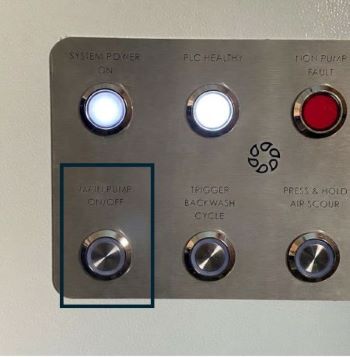
- Press the Main Pump ON/OFF button on the control panel to stop the pump.
This ensures the system is safe to open.
Step 2 – Isolate the Pump
Close the ball valves on either side of the pump.
Follow the pipework from the pump inlet & outlet and close the ball valves either side. Typically the ball valve labelled no.1 will be above the pump and the inlet manifold will be in front.
This prevents water from flowing through the pipework while the pump lid is removed.
Step 3 – Open the Pump Basket
-
Unscrew the pump lid
-
Remove the pump basket
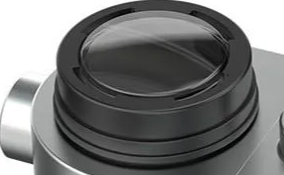
Be careful when opening the lid as some water may still be present.
Step 4 – Clean the Basket
-
Empty any leaves, debris, or dirt from the basket
-
Rinse the basket if necessary to remove smaller particles
Keeping the basket clean helps maintain good circulation and pump performance.
Step 5 – Reassemble the Pump
-
Replace the basket inside the pump housing
-
Screw the pump lid back on securely ensuring the pump lid O-ring is correctly seated
Step 6 – Return the System to Normal Operation
-
Reopen the ball valves on either side of the pump
-
Turn the pump back ON using the control panel
Check that the pump restarts normally and that water circulation resumes.
Tip
If the pump becomes noisy or water flow seems reduced, it may be a sign that the pump basket needs cleaning.